If you’re new to SOQL statements here are some tips to help you query more effectively and efficiently.
Parent-to-Child (Inner Query)
If you need to know how many Contacts exist under each Account, a Parent-to-Child query is a great way to do it! A SOQL query is embedded between SELECT and FROM
Example: SELECT Name, (SELECT LastName FROM Contacts) FROM Account
Child-to-Parent (Dot Notation)
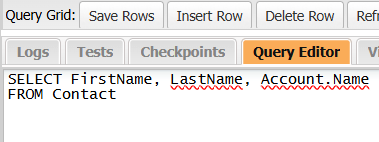
This removes the need to export two CSV files and VLOOKUP on Ids, a major time savings! In the example below, the lookup Field Name is listed, then a “.” then the Field Name of the related object’s field.
Example: SELECT FirstName, LastName, Account.Name FROM Contact
NOTE: There are some nuanced differences to keep in mind, for example: To surface the user’s name of a CreatedById field would be CreatedBy.Name
 Motley Cloud Consulting