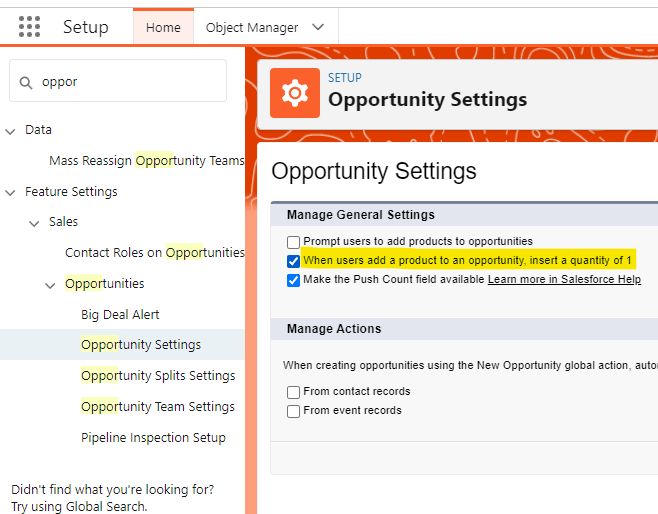
Sometimes adding a Sales Price or Quantity for an Opportunity Products does not make business sense. Fortunately in Salesforce there’s an easy way remove those field requirements. It’s called “When users add a product to an opportunity, insert a quantity of 1”. Once checked new Opportunity Products will default the quantity to 1 on all new Opportunity Products and allow for removing the Sales Price and Quantity fields from the page layout.
To do this:
- Navigate to Setup
- Search “Opportunity Settings”
- Check “When users add a product to an opportunity, insert a quantity of 1” option
- Navigate to desired page layout
- Remove desired fields
For more detailed information check out this Salesforce resource.
 Motley Cloud Consulting