In an effort to be 100% Salesforce in a previous role I implemented a Jira-like issue management system. These custom objects became known as Requests and Releases and were built to serve not only Salesforce but every system the team was tasked to manage. “Cases” could be used in place of “Requests” if desired, a custom object will have less features ready to use, but allow for more flexibility pros/cons with each.
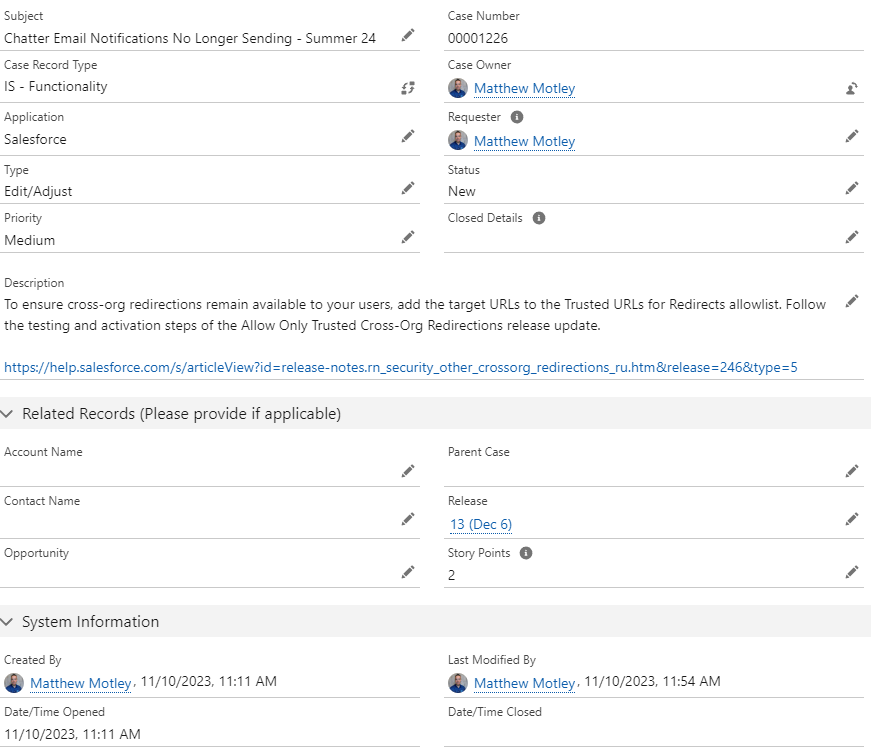
Cases/Requests are added to a Release via lookup field and subsequently deployed. Collaboration happens on the Request/Case AND Release via Chatter keeping the conversation in context and transparent.
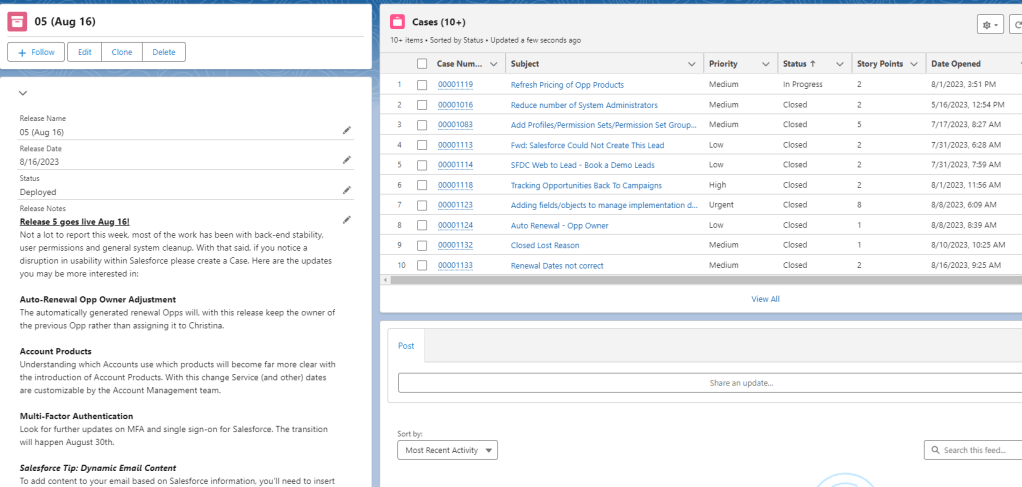
Release naming tip: Use a 2-3 digit number AND date representation in the name. Because the Release name is text, numbers don’t sort properly if you start with one digit and move to two, then to three. For example 1 should be 001, that would cover you for 999 releases, that would cover you for 38 years…or you could use 01 and be covered for 3.8 years, your call!
Advantages to this system:
- In-context record communication, collaborative via Chatter
- “Eating own dog food” a term I used to sell the transition to a Salesforce built issue managements system. It’s my firm belief that if the Salesforce team isn’t willing to use the system they manage to manage their own work, Salesforce adoption will be impacted
- Elevates user adoption
- Elevates team understanding/empathy of Salesforce end users
- Free, other than the effort to build it, there is no recurring costs
- Fully customizable, it can be as simple or complex as the team needs it to be. Can be paired with loads of helpful automation.
- Organizes releases and gives end user transparency to the potential deployment timeline
Disadvantages:
- Requires a custom build (10-20 hours depending on complexity/capabilities)
- Individuals must be a user of Salesforce
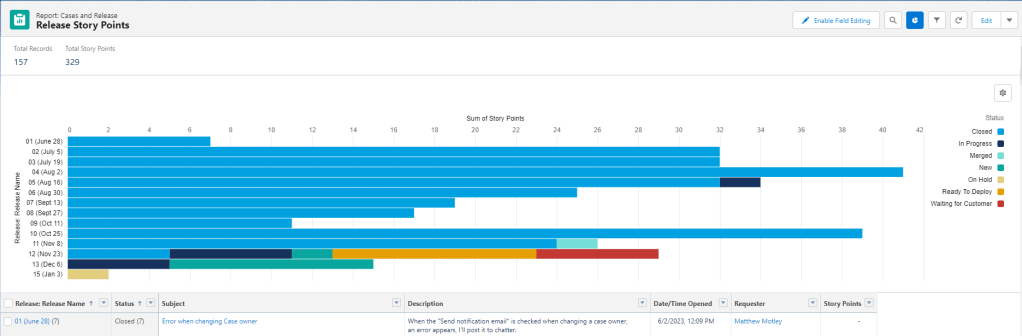
The end result of Requests and releases is taking advantage of Salesforce’s powerful reporting tool for analysis:
 Motley Cloud Consulting
Leave a comment